Sars Tax Return 2026 Status Check Online Via Easy Method
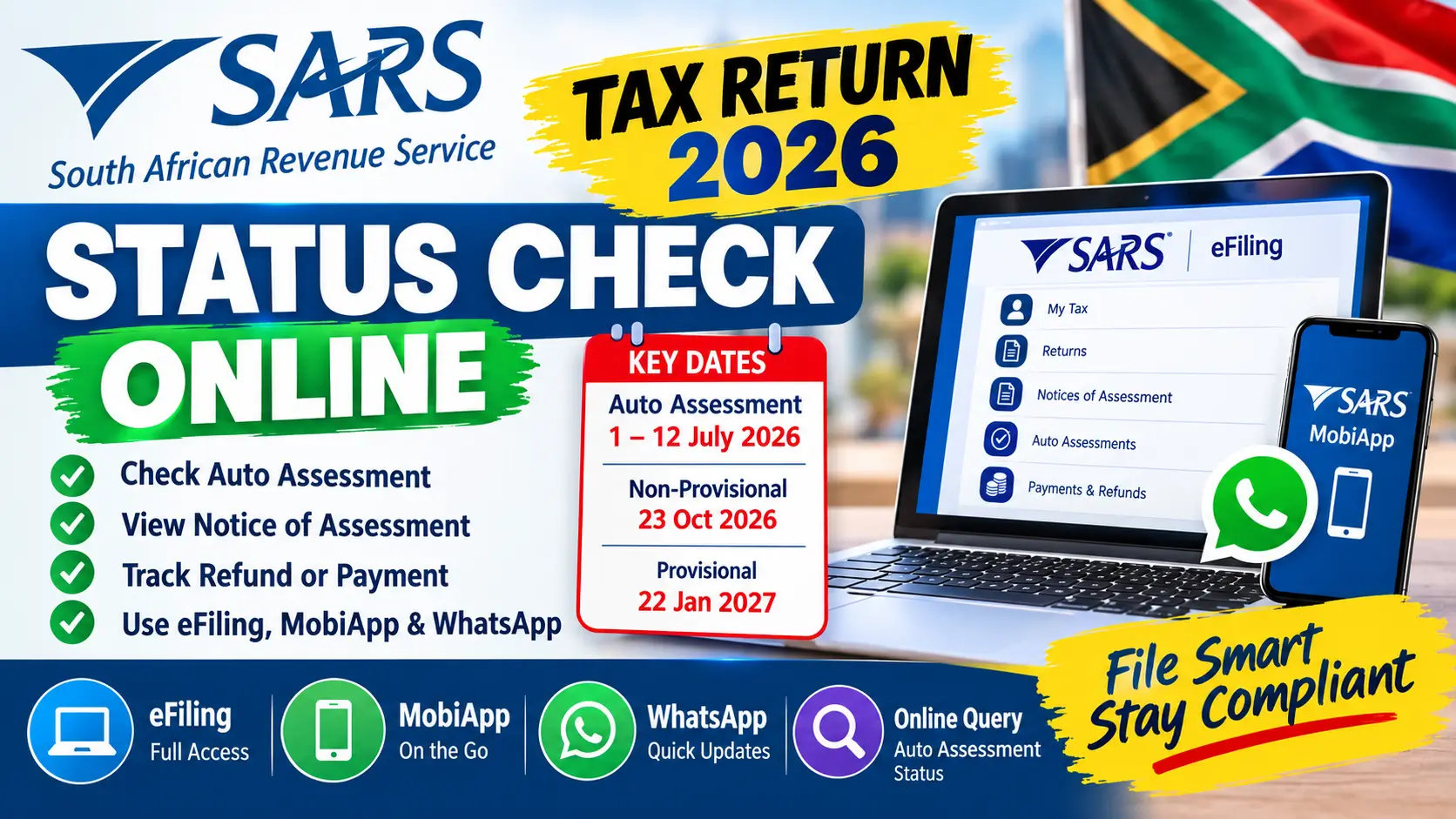
The SARS Tax Return 2026 Status Check Online process is easier than ever because taxpayers can use several digital channels to check their tax information, Auto Assessment status, Notice of Assessment and other filing updates. SARS has expanded its online services for Filing Season 2026, including improved eFiling features, the SARS MobiApp and WhatsApp services.
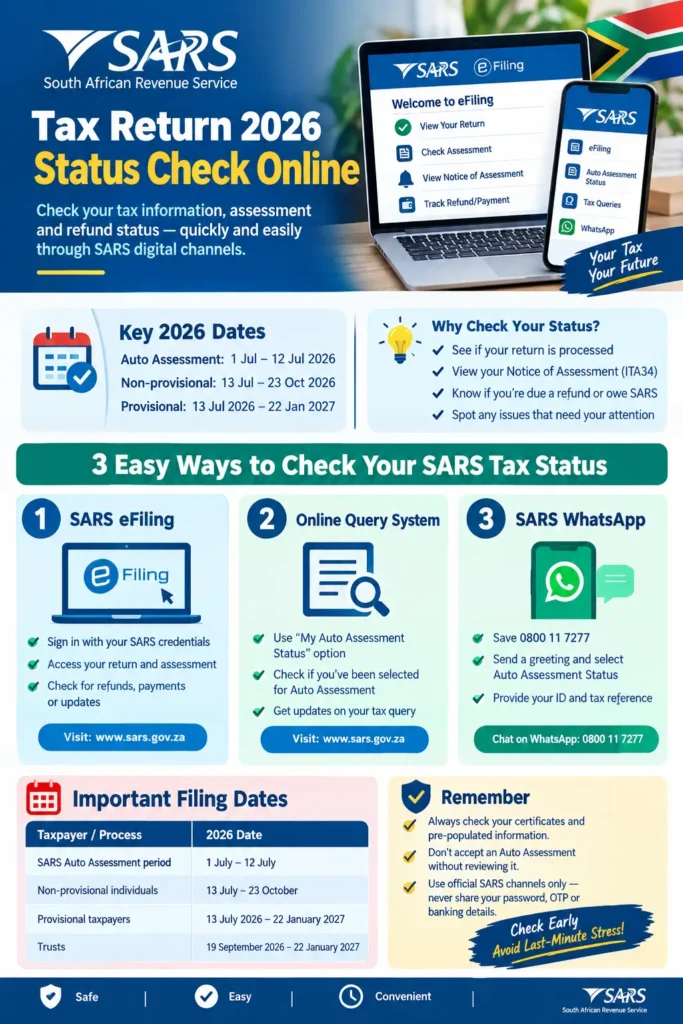
For the 2026 Filing Season, SARS started Auto Assessments from 1 July to 12 July 2026. Taxpayers who were not auto-assessed, or who disagreed with their assessment, could submit their income tax return from 13 July 2026. The deadline for non-provisional individual taxpayers is 23 October 2026, while provisional taxpayers have until 22 January 2027.
What Is the SARS Tax Return 2026 Status Check?
A SARS tax return status check allows taxpayers to follow what is happening with their income tax return after submission or Auto Assessment. The status can help you understand whether SARS has processed your return, whether an assessment has been issued, or whether there is an issue that requires your attention.
You can also read: SRD Status Check September 2026
Your ITA34 Notice of Assessment is particularly important because it shows the result of the assessment. Depending on your circumstances, it can show that SARS owes you a refund, that you need to pay SARS, or that the assessment results in no amount payable or refundable. SARS says the ITA34 can be accessed through eFiling, the SARS MobiApp, the SARS Online Query System and WhatsApp.
How to Check Your SARS Tax Return 2026 Status Online
The simplest option for many taxpayers is SARS eFiling. After signing in, you can access your income tax information and check the relevant return, assessment and notices available on your profile.
SARS also provides other digital channels, which can be useful if you cannot access eFiling or want to check a particular Auto Assessment status.
Method 1: Check Through SARS eFiling
SARS eFiling remains one of the main online channels for individual taxpayers. You can use it to submit your ITR12, review pre-populated information, access your assessment and manage various tax-related services.
A basic process is:
- Open the official SARS eFiling service.
- Sign in using your SARS eFiling credentials.
- Select the relevant income tax service or return.
- Check your 2026 tax return information.
- Review your assessment or Notice of Assessment.
- Check whether SARS has requested additional information.
- If a refund is due, review the relevant payment information.
SARS has also improved the ITR12 interface for Filing Season 2026, including quicker access to the Notice of Assessment and clearer messages relating to overdue returns.
Method 2: Use SARS Online Query System
SARS also allows taxpayers to use its Online Query System (SOQS) for certain tax-related queries. During Filing Season 2026, SARS specifically provided an option called “My Auto Assessment Status” for checking whether a taxpayer had been selected for Auto Assessment.
This is particularly useful when you are waiting to find out whether SARS has issued an Auto Assessment. However, checking Auto Assessment status is not the same as checking the complete outcome of your submitted tax return. For the final assessment, you should review your ITA34 and information available through your SARS digital account.
Method 3: Check SARS Tax Status on WhatsApp
One of the useful digital changes for 2026 is the expansion of SARS WhatsApp services. SARS says taxpayers can use WhatsApp to check their Auto Assessment status and can also receive documents such as an ITA34 and Statement of Account. Supporting documents can also be uploaded through the service.
For Auto Assessment status, SARS says taxpayers can save the official SARS WhatsApp number 0800 11 7277, send a greeting, select the Auto Assessment Status option and provide the requested authentication details, including the ID or passport number and tax reference number.
SARS Tax Return 2026 Important Dates
Knowing the filing dates is important because a taxpayer’s next step depends partly on their taxpayer category.
| Taxpayer / process | 2026 date |
|---|---|
| SARS Auto Assessment period | 1 July – 12 July 2026 |
| Non-provisional individual taxpayers | 13 July – 23 October 2026 |
| Provisional taxpayers | 13 July 2026 – 22 January 2027 |
| Trusts | 19 September 2026 – 22 January 2027 |
These dates are based on SARS’s official Filing Season 2026 information. Eligible provisional taxpayers may also receive Auto Assessments this year, which is an important change from previous filing seasons.
If you are a non-provisional taxpayer who needs to submit a return, 23 October 2026 is an important deadline. Provisional taxpayers generally have until 22 January 2027.
What Your SARS Tax Return Status Means
A status message is useful only when you understand what action, if any, is required. A taxpayer should not assume that every status means a refund is on the way.
For example, an assessment may result in a refund, an amount payable to SARS, or a zero assessment. SARS specifically advised taxpayers to review their Auto Assessment outcome rather than simply ignoring the notification.
Some common outcomes can be understood as follows:
- Auto Assessment: SARS has prepared an assessment using information available from third parties.
- Return Submitted: Your return has been submitted electronically and is awaiting further processing.
- Assessment Issued: SARS has completed the assessment and issued an ITA34.
- Refund Due: SARS has calculated that an amount should be refunded, subject to applicable checks.
- Amount Payable: The assessment indicates that you owe SARS money.
- Verification Required: SARS needs additional information or supporting documents before completing the process.
The exact wording shown in your SARS account can vary, so always read the accompanying message rather than relying only on the status label.
How SARS Gets Your Tax Information
A major reason SARS can prepare returns and Auto Assessments is that it receives information from employers and other third-party institutions. This means taxpayers increasingly encounter information that has already been populated on their return before they manually enter it.
For Filing Season 2026, SARS says some information, including certain investment income, is pre-populated on the ITR12. The system is designed to reduce manual capturing and make the return easier to complete.
Common information sources include:
- Employers and PAYE information
- Banks and financial institutions
- Medical schemes
- Retirement fund administrators
- Insurers
- Investment and other third-party data providers
This creates an important responsibility for taxpayers: pre-populated does not automatically mean complete. You should still review the information and make sure that all taxable income and legitimate deductions have been properly considered.
What Is SARS Auto Assessment 2026?
SARS Auto Assessment is a process where SARS uses information already received from employers, financial institutions, medical schemes, retirement funds and other third-party providers to prepare an assessment for selected taxpayers. If the taxpayer agrees with the outcome and the information is correct, SARS says no further action is required.
For 2026, SARS expected to issue approximately 6 million Auto Assessments. The process ran from 1 July to 12 July 2026, after which the normal filing period continued for taxpayers who needed to submit returns.
You can also read: Check SASSA R350 Status 2026 Check September
Why You Should Still Check an Auto Assessment
An Auto Assessment can make tax filing much easier, but it does not necessarily contain every piece of information that may be relevant to your tax position.
Income or deductions that SARS does not have through third-party data may still need to be considered. This is why taxpayers should not treat an Auto Assessment as an automatic guarantee that everything has been included.
Before accepting an assessment, check whether your financial circumstances include items such as:
- Additional income
- Rental income
- Freelance or business income
- Investment-related income
- Relevant deductions
- Foreign income or financial interests
- Other taxable amounts that are not reflected
If something is missing, the appropriate action may be to submit or correct the relevant return rather than simply accepting the Auto Assessment.
Can You Change Pre-Populated SARS Information?
You generally cannot simply overwrite incorrect third-party information that SARS has received from an employer, medical scheme, retirement fund or another provider. SARS explains that the taxpayer should ask the originating institution to correct the information and submit the corrected data to SARS.
For example, if your medical aid certificate shows an incorrect contribution amount, contacting SARS alone may not be the correct first step. You should contact the medical scheme and request that the underlying information be corrected and resubmitted.
Once the provider has corrected the information with SARS, you can return to eFiling or the SARS MobiApp and check whether the updated information is reflected before submitting the return.
You can also read: September 2026 SRD Payment Dates Tracker
SARS Tax Return 2026 Refund and Payment Status
Your tax assessment can result in three broad outcomes: SARS may owe you a refund, you may owe SARS money, or the assessment may result in no amount payable or refundable. SARS says the ITA34 explains the assessment outcome and can be accessed through its digital channels.
A refund status should not automatically be interpreted as an immediate payment. SARS may conduct relevant checks before releasing funds, so taxpayers should keep their banking details accurate and monitor their SARS account for further communication.
If the assessment says that you owe SARS, do not ignore the amount. SARS states that payment deadlines apply, and taxpayers can use approved payment channels or explore arrangements where appropriate.
Documents You Should Check Before Filing
Because SARS increasingly receives information electronically, reviewing your certificates before submitting your return can help identify problems early.
Keep the documents relevant to your personal tax situation, such as:
- IRP5 or IT3(a) certificates
- Medical scheme certificates
- Retirement annuity information
- Investment and interest certificates
- Donation certificates where applicable
- Rental-income records
- Business or freelance income records
- Supporting documents for legitimate deductions
- Records relating to foreign income or investments where applicable
The most important point is consistency. If your own records do not match the information pre-populated by SARS, investigate the difference before submitting the return.
Common Mistakes to Avoid
Many tax-return problems are not caused by the online system itself. They happen because taxpayers accept information without checking it, forget additional income or wait until the final days of the filing period.
Avoid these common mistakes:
- Assuming an Auto Assessment is always complete.
- Ignoring an incorrect IRP5 or third-party certificate.
- Trying to manually overwrite information supplied by a third party.
- Forgetting additional or taxable income.
- Missing the filing deadline.
- Using unofficial websites to enter sensitive tax information.
- Sharing SARS passwords, OTPs or banking information with strangers.
- Ignoring requests for verification or supporting documents.
SARS has specifically warned taxpayers to use official channels and says it will not ask for passwords, OTPs, banking PINs or eFiling login credentials through ordinary scam channels such as unsolicited emails, SMS messages, social media or telephone calls.
You can also read: SRD Status Check September 2026
Latest SARS Filing Season 2026 Updates
Filing Season 2026 brings several changes aimed at reducing manual work. SARS has expanded pre-populated information, updated the ITR12 interface and introduced clearer guidance around several parts of the return.
Another important development is that eligible provisional taxpayers may now receive Auto Assessments. If such a taxpayer agrees with the outcome, no further action is required; if they disagree, they can amend and submit the return by the applicable provisional-taxpayer deadline of 22 January 2027.
SARS has also introduced a declaration alert questionnaire intended to identify potential mismatches earlier and reduce verification problems. This reflects a broader shift toward automated checking and greater use of third-party information.
Is SARS Tax Return Status Check Available Online?
Yes. SARS provides several digital channels for taxpayers to access tax information. Depending on what you need to check, you can use eFiling, the SARS MobiApp, the Online Query System or SARS WhatsApp.
For a full return and assessment review, eFiling is particularly useful because it gives you access to your return and related tax information. For specific Auto Assessment checks, SARS also provides the My Auto Assessment Status service.
Frequently Asked Questions
How can I check my SARS tax return status online?
You can check your tax information through SARS eFiling, the SARS MobiApp and other official digital services. For Auto Assessment status, SARS also provides the My Auto Assessment Status service through its Online Query System.
Can I check my SARS Auto Assessment status on WhatsApp?
Yes. SARS introduced an Auto Assessment status option through its official WhatsApp service for Filing Season 2026. Authentication details are required before the status can be displayed.
What is the SARS 2026 tax return deadline?
For non-provisional individual taxpayers, the 2026 filing deadline is 23 October 2026. Provisional taxpayers have until 22 January 2027.
What happens if my SARS Auto Assessment is wrong?
Review the information and submit the required correction through eFiling or the SARS MobiApp. If the incorrect information came from a third party, such as an employer or medical scheme, ask that institution to correct and resubmit the data to SARS.
Does an Auto Assessment mean I do not need to file a tax return?
Not necessarily. If you receive an Auto Assessment and agree that the information and outcome are correct, SARS says you do not need to submit a return. If the information is incomplete or incorrect, you should take the appropriate corrective action.
How do I know whether SARS owes me a refund?
Your Notice of Assessment (ITA34) shows the result of your assessment, including whether a refund is due or an amount is payable. You can access the assessment through SARS digital channels.
You can also read: Sasa Grant Srd Ngesizulu Whatsapp
Conclusion
The SARS Tax Return 2026 Status Check Online process is designed to make tax administration easier without requiring taxpayers to visit a SARS branch for every question. eFiling remains one of the most useful ways to review your return, assessment and tax information, while SARS has expanded WhatsApp and other digital services for quicker access.
The most important rule is simple: do not assume that pre-filled information is automatically complete or correct. Review your certificates, check your assessment, report income that SARS may not already know about and respond promptly if SARS requests additional information. With the 23 October 2026 deadline approaching for non-provisional taxpayers, checking your SARS tax status early can help you avoid unnecessary delays and last-minute problems.

