How to Check Sassa 370 Whatsapp Number 2026
If you receive or have applied for the SASSA Social Relief of Distress (SRD) grant, checking your application status regularly can help you know whether your payment has been approved, is still pending, or has been declined. In 2026, one of the easiest ways to get SRD-related assistance is through the official SASSA WhatsApp service.
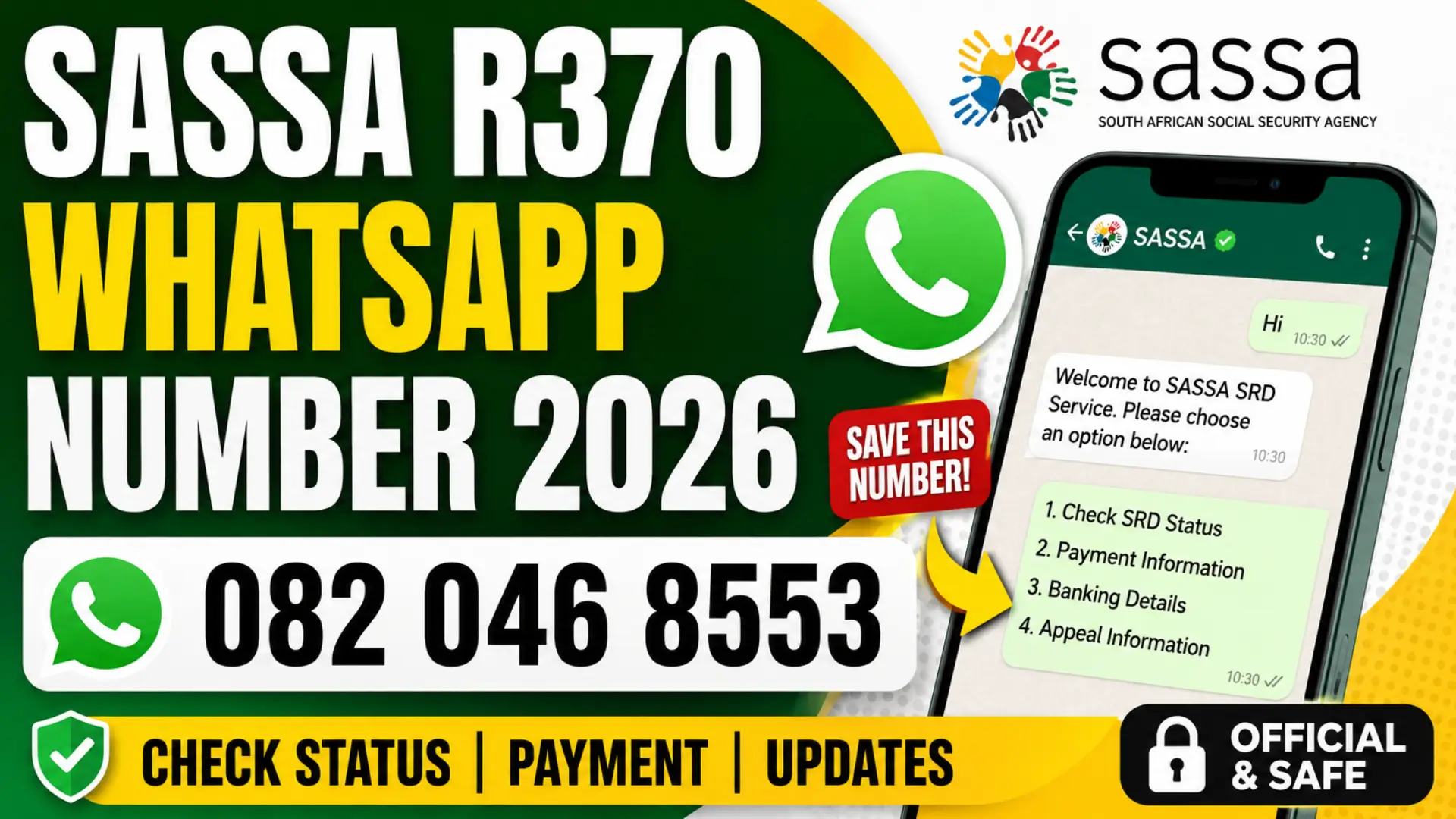
The official SASSA SRD WhatsApp number is 082 046 8553. A recent Western Cape Government notice also lists 082 046 8553 as the SRD WhatsApp contact and confirms the official SRD website and SASSA toll-free number.
What Is the SASSA WhatsApp Number for R370 in 2026?
The SASSA WhatsApp service provides a convenient way for SRD beneficiaries to access information without visiting a SASSA office. The number currently identified for SRD WhatsApp services is 082 046 8553. Government and SASSA-related documentation has used this number for SRD services, and the Western Cape Government confirmed it as the SRD WhatsApp contact in July 2026.
You can also read: SRD Status Payment Dates September 2026
If you see another number such as 082 046 9553 published on an unofficial website, be careful before using it. For the latest information, rely on official SASSA or government sources rather than social media posts or third-party websites.
How to Check SASSA R370 Status on WhatsApp
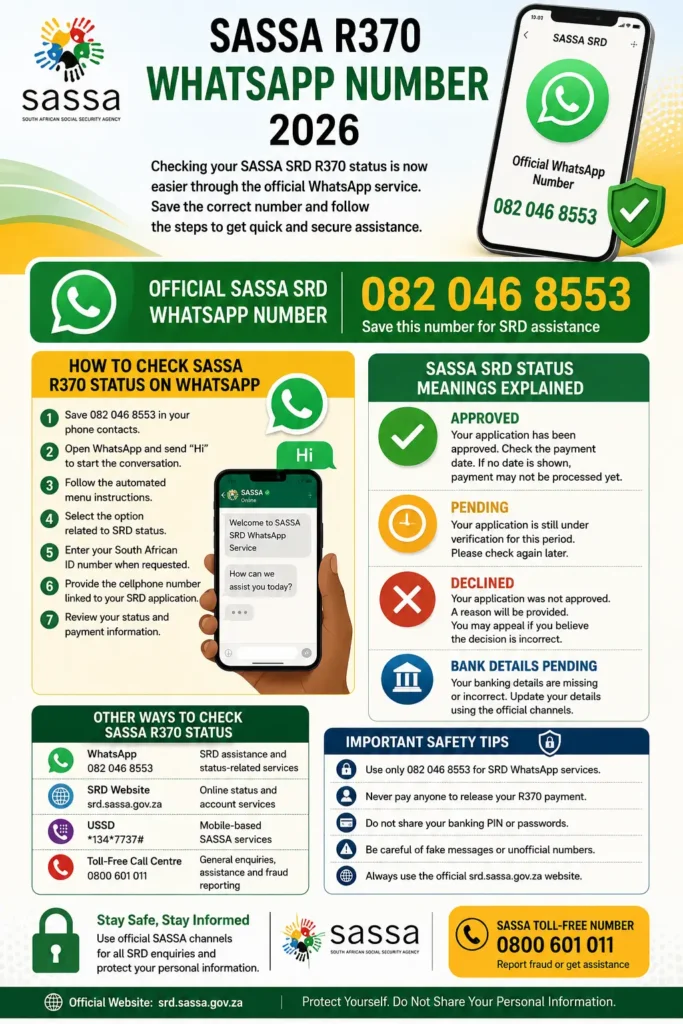
Checking your SRD status through WhatsApp is straightforward. Save 082 046 8553 to your phone and open WhatsApp to start a conversation. Recent 2026 guidance reports that applicants can send “Hi” and then follow the automated prompts to access their status.
Follow these steps:
- Save 082 046 8553 in your phone contacts.
- Open WhatsApp and find the saved SASSA contact.
- Send “Hi” to start the conversation.
- Follow the automated menu instructions.
- Select the option related to SRD status.
- Enter your South African ID number when requested.
- Provide the cellphone number linked to your SRD application.
- Review the status and any payment information shown.
Use the same cellphone number that you registered with SASSA whenever the system asks for your application details. Incorrect or outdated information can prevent the system from matching your application correctly.
What Information Can You Get Through SASSA WhatsApp?
The WhatsApp service is designed to make basic SRD-related services more convenient. Depending on the available options in the automated service, beneficiaries can use it for status-related assistance and other account or application queries.
Common information and services associated with the SASSA digital channels include:
| Service | Official SRD Website | |
|---|---|---|
| Check SRD application status | Yes | Yes |
| Check payment information | Available through service prompts | Yes |
| Update banking details | Available through supported services | Yes |
| Change linked cellphone details | Available through supported services | Yes |
| Check appeal information | Limited by service | Yes |
| Visit a SASSA office | No | No |
The official SRD website also provides options for checking status, changing mobile details, updating banking information, cancelling an application and other SRD-related services.
How to Check SASSA SRD Status Online in 2026
WhatsApp is not the only option. If the WhatsApp service is unavailable or you prefer using a browser, you can check your SRD application through the official SASSA SRD website.
To check online, open the official SASSA SRD portal, enter the requested identification and cellphone details, and submit the status request. The official portal provides a dedicated application-status service and other SRD self-service options.
The online method is especially useful when you need more detailed information about your application than a short WhatsApp response provides.
SASSA SRD Status Meanings Explained
Seeing a status such as Pending, Approved, or Declined does not always mean the same thing. Understanding the result can help you decide what to do next instead of submitting unnecessary applications.
According to SASSA’s SRD status information, an approved application should be checked for a payment date, while a declined application includes a reason. A pending period means verification is still taking place.
Approved
An Approved result means your application has passed the relevant checks for that period. Check whether a payment date is displayed. If there is no payment date yet, the payment may not have been processed.
Pending
A Pending status generally means the application is still being verified for that particular period. SASSA advises applicants to check again later rather than assuming that a pending result automatically means rejection.
Declined
A Declined result means the application did not pass the assessment for that period. SASSA provides a reason for the decision, and eligible applicants who believe the decision is incorrect may use the applicable reconsideration or appeal process.
Bank Details Pending
If your status indicates that banking details are pending, it means SASSA has not received the required banking information or payment preference. The official SRD system provides a facility for submitting or changing banking details.
You can also read: South Africa Driving Licence Validity
What If Your SASSA Status Is Declined?
Do not immediately submit a completely new application simply because your SRD status says declined. First read the decline reason carefully. SASSA assesses SRD eligibility through verification processes, so the reason shown for the relevant period is important.
If you believe the decision is incorrect, use the official reconsideration or appeal process where applicable. The SASSA SRD system provides an online appeal facility for eligible declined applications.
What If Your SASSA Payment Is Approved but You Have Not Received Money?
An approved status does not necessarily mean that the money has already reached your bank account. SASSA’s own status guidance says beneficiaries should check the payment-date field when an application is approved. If there is no payment date, payment may not yet have been processed.
You should also make sure that your banking details are correct and belong to you. If the payment information is incorrect or outdated, it can cause delays even when your SRD application has been approved.
Other Ways to Check SASSA R370 Status
If WhatsApp is not working, you have other official channels available. Using an alternative channel can be useful when the website is busy or the WhatsApp service is temporarily unavailable.
| Method | Contact or Website | Best Use |
| 082 046 8553 | SRD assistance and status-related services | |
| SRD Website | srd.sassa.gov.za | Online status and account services |
| USSD | *134*7737# | Mobile-based SASSA services |
| Toll-Free Call Centre | 0800 601 011 | General grant enquiries and assistance |
SASSA’s official information confirms the 0800 601 011 toll-free number for grant-related enquiries, while the official SRD system remains available for online status and account services.
Important Safety Tips for SASSA WhatsApp Users
Scammers frequently target people waiting for government grants. A WhatsApp message claiming to be from SASSA does not automatically mean that it is genuine, so always verify the contact before providing personal information.
Keep these safety rules in mind:
- Use 082 046 8553 for the SRD WhatsApp service.
- Do not pay anyone to “release” your R370 payment.
- Never share your banking PIN or online banking password.
- Do not give an unknown person access to your WhatsApp account.
- Be suspicious of messages promising an immediate SASSA payment.
- Use the official srd.sassa.gov.za website for online SRD services.
- Do not submit your ID number and banking information on random websites.
SASSA itself advises beneficiaries to remain alert around grant-related fraud and provides its toll-free number for reporting suspected fraudulent activity.
Common Mistakes When Checking SASSA Status
Many status-checking problems are caused by simple information mismatches rather than a problem with the grant itself. Using the wrong cellphone number or entering incorrect identification details can make it difficult for the system to locate the correct application.
Avoid these common mistakes:
- Entering an incorrect South African ID number.
- Using a cellphone number different from the one linked to the application.
- Sending personal details to an unofficial WhatsApp number.
- Assuming “Pending” means the application has been rejected.
- Ignoring the decline reason when an application is declined.
- Checking only once and assuming the result will never change.
- Paying third parties to check or “fix” an application.
For security and accuracy, check your information directly through SASSA’s official channels.
You can also read: How to Check Petrol Prices August
Frequently Asked Questions About SASSA R370 WhatsApp
What is the official SASSA WhatsApp number in 2026?
The SRD WhatsApp number currently confirmed by the Western Cape Government and other government documentation is 082 046 8553.
What should I send to SASSA WhatsApp?
Start by sending “Hi” to 082 046 8553 and follow the automated prompts. The available menu will guide you to the relevant SRD service.
Can I check my R370 payment status on WhatsApp?
Yes. The SASSA WhatsApp service can be used for SRD-related status assistance. You may also use the official SRD website if you need to check your application online.
Is 082 046 9553 the official SASSA WhatsApp number?
The official government sources checked for this guide identify 082 046 8553, not 082 046 9553, as the SRD WhatsApp number. If you encounter the alternative number online, verify it through SASSA or a government source before sharing any personal information.
What is the SASSA call centre number?
The official SASSA toll-free number is 0800 601 011. It can be used for grant-related enquiries, payment information, assistance with applications and fraud reporting.
Conclusion
For anyone looking for the SASSA R370 WhatsApp number 2026, the key number to remember is 082 046 8553. Save it carefully, start the WhatsApp conversation with “Hi,” and follow the automated instructions to access the relevant SRD service.
For the most reliable results, use WhatsApp alongside the official SASSA SRD website rather than relying on third-party status-checking websites. If your result is pending, declined, or shows a banking-details problem, read the exact status message first and use the appropriate official SASSA process instead of paying someone to change it.
Official SASSA SRD website: srd.sassa.gov.za
