NSFAS Login Portal Status Check Online Step by Step
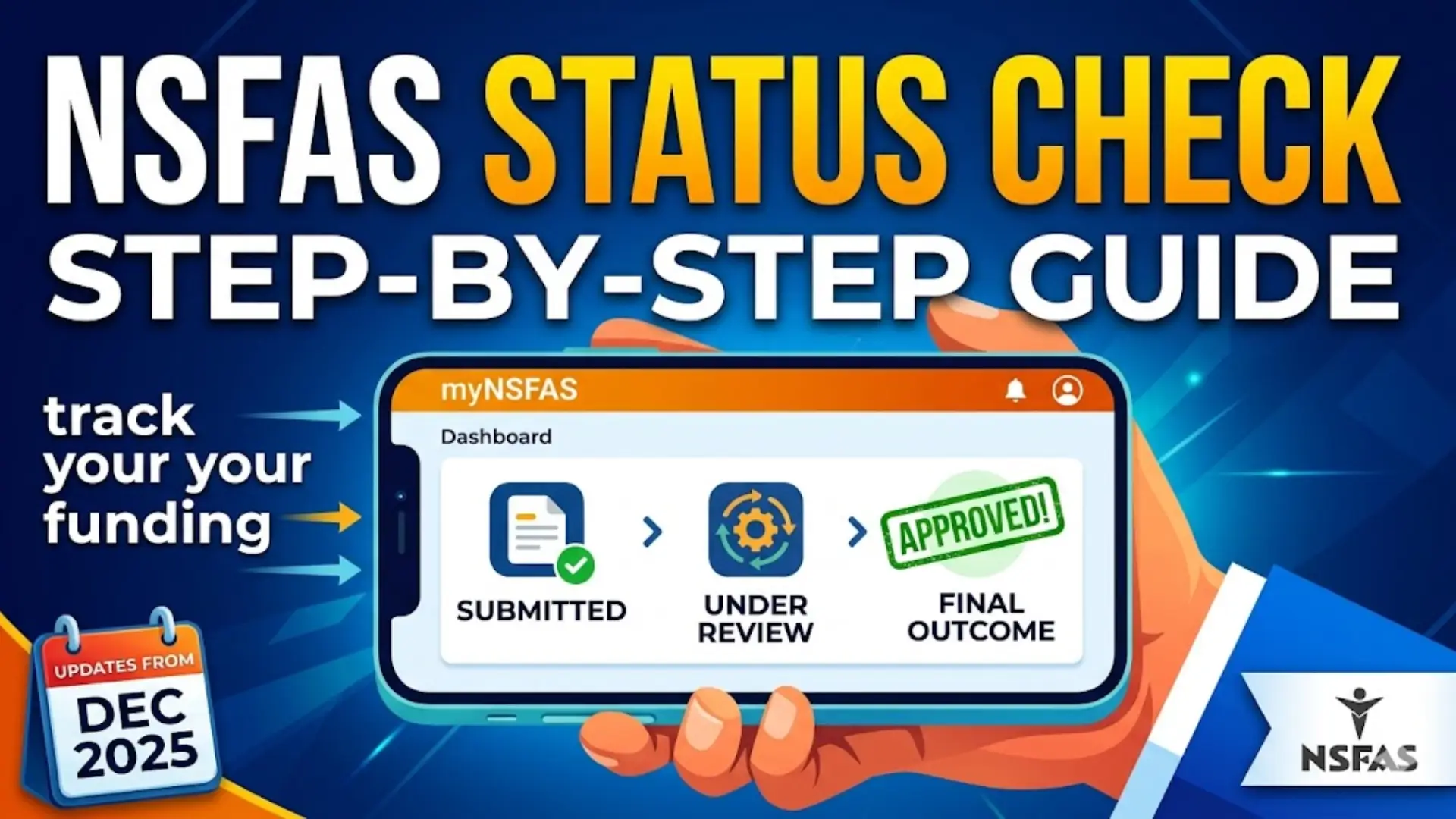
Applying for funding through NSFAS is an important step for many students, and tracking your application status is just as crucial. Once you’ve submitted your application, staying updated through the myNSFAS portal helps you understand where you stand and what actions may still be required.
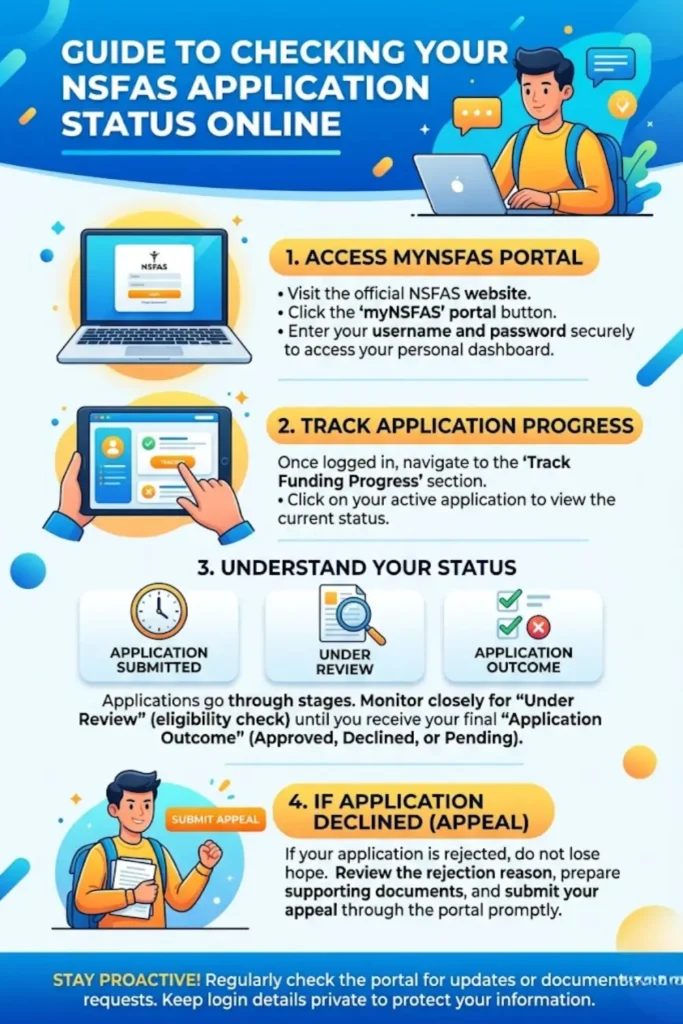
This guide explains how to check your NSFAS status online step by step, what each status means, and what to do if your application is declined. The information is simplified so that anyone can follow it without confusion.
Understanding the NSFAS Application Process
After submitting your application, it goes through several stages before a final decision is made. Each stage reflects a specific part of the evaluation process, and knowing these stages helps you stay prepared.
NSFAS has officially closed applications for 2026 funding, and applicants are expected to receive updates starting from mid-December 2025 through the myNSFAS portal. This means your account becomes the main place to track progress and receive notifications.
Applicants should regularly log in and check their status to avoid missing important updates or document requests.
You can also read: Applications for 2027 University in South Africa
How to Log in to the NSFAS Portal
To check your application status, you must first access your myNSFAS account. The process is straightforward but requires accurate login details.
Follow these steps to log in:
- Visit the official NSFAS website
- Click on the “myNSFAS” portal
- Enter your username and password
- Click on the login button to access your dashboard
Once logged in, you will see different sections of your profile, including your application progress.
Always make sure your login details are secure and never share your password with anyone.
Step-by-Step Guide to Check NSFAS Application Status
After logging into your account, you can easily track your funding progress. The portal is designed to give real-time updates.
Here’s how to check your status:
- Go to the “Track Funding Progress” section
- Click on your current application
- View the status displayed on your dashboard
- Check for any notifications or required actions
The system updates automatically, so checking regularly ensures you stay informed about any changes.
NSFAS Application Status Explained
Each application goes through different stages. Understanding these statuses helps you know what is happening behind the scenes.
1. Application Submitted
This means your application has been successfully received. At this stage:
- All details should be complete
- Required documents must be uploaded
- No further action is needed unless requested
2. Under Review
Your application is being assessed to determine eligibility. During this stage:
- Your information is verified
- Documents are checked
- Additional details may be requested
3. Application Outcome
This is the final decision stage. You will see whether your application is approved or declined.
- Approved: Funding is granted
- Rejected: You may submit an appeal
- Pending: Additional verification may still be ongoing
You can also read: Sassa Annual Certification Online Guide
NSFAS Application Status Overview Table
| Status | Meaning | What You Should Do |
|---|---|---|
| Application Submitted | Application received | Wait and monitor updates |
| Under Review | Being evaluated | Check for document requests |
| Application Outcome | Final decision made | Accept or appeal if necessary |
Required Supporting Documents
In some cases, NSFAS may request additional documents. These must be uploaded through your myNSFAS account.
Common required documents include:
- Consent form for data verification
- Declaration form (for applicants aged 34 or younger)
- Disability Annexure form (for students with disabilities)
- Orphan or Vulnerable Child Declaration form (for eligible applicants under 18)
Make sure all documents are correctly completed and submitted on time to avoid delays.
NSFAS Appeals Process
If your application is rejected, you still have an opportunity to appeal the decision. The process is simple but must be done carefully.
Follow these steps:
- Log in to your NSFAS portal
- Check the reason for rejection
- Prepare supporting documents
- Submit your appeal through the portal
Appeals are only successful when valid supporting evidence is provided, so ensure your documents clearly address the rejection reason.
Important Security Tips for Applicants
Keeping your account safe is essential when dealing with personal and financial information.
Remember the following:
- Never share your password with anyone
- NSFAS officials will not ask for your login details
- Always log in through the official website
- Report suspicious activity immediately
If you notice any fraud, corruption, or unethical behavior, you can report it via the official NSFAS email.
You can also read: NSFAS Status Check 2026 Check NSFAS Wallet Balance
Final Thoughts
Tracking your NSFAS application status online is an essential part of the funding process. By regularly checking your myNSFAS portal, you stay informed and avoid missing important updates or deadlines.
The process is simple: log in, track your status, respond to requests, and take action when needed. Whether your application is under review or finalized, staying proactive ensures a smoother experience.
If your application is unsuccessful, don’t lose hope—use the appeals process correctly and provide the required documents to support your case.
